How to Improve Smartwatch Battery Life: Simple Tips for Longer Battery Backup
Smartwatches have become an essential part of everyday life. From Bluetooth calling and notifications to fitness tracking, GPS, heart-rate monitoring, and sleep tracking, a smartwatch performs many tasks throughout the day. However, using multiple features continuously can increase power consumption and reduce battery backup.
If you are wondering how to improve smartwatch battery life, the good news is that a few simple changes can make a noticeable difference. Below are practical ways to reduce unnecessary battery drain and get longer usage from your smartwatch.
Why Does Smartwatch Battery Drain Fast?
Before improving battery life, it is important to understand what consumes the most power. Battery performance varies depending on the smartwatch model, battery capacity, display type, connectivity, software, and usage.
Features that commonly increase battery consumption include:
- Always-On Display
- High screen brightness
- GPS
- Bluetooth calling
- Wi-Fi and 4G/LTE connectivity
- Frequent notifications
- Continuous health monitoring
- Long screen-on time
- Animated watch faces
- Background applications
Premium features naturally require more power, so battery backup may decrease when several functions are active simultaneously.
1. Turn Off Always-On Display
Always-On Display (AOD) keeps part of the smartwatch screen active even when you are not using it. Although convenient, it can consume additional battery throughout the day.
If maximum battery backup is your priority, disable AOD and use Raise to Wake or tap the screen when you need to check the time.
This can be especially useful on AMOLED smartwatches.
2. Reduce Screen Brightness
The display is one of the biggest power consumers in a smartwatch.
Keeping brightness at maximum level all day is usually unnecessary, particularly indoors. Try using medium brightness or enable Auto Brightness if your smartwatch supports it.
You can also reduce the screen timeout so the display turns off faster when not in use.
3. Use GPS Only When Needed
GPS is extremely useful for running, cycling, walking, and outdoor workouts, but continuous GPS tracking requires considerable power.
Turn GPS on when you actually need location or workout tracking and switch it off afterward.
For users who exercise regularly, this simple habit can significantly reduce unnecessary battery consumption.
4. Manage Bluetooth and Wi-Fi
Bluetooth is essential for connecting most smartwatches to smartphones. However, Wi-Fi and other wireless connections may not need to remain active all the time.
If you are not using Wi-Fi, hotspot, or other connectivity features, turning them off can help conserve power.
For 4G Android smartwatches, mobile data, Wi-Fi, GPS, and Bluetooth running together can result in considerably higher battery consumption.
5. Limit Unnecessary Notifications
Do you really need every Facebook, Messenger, email, shopping app, game, and promotional notification appearing on your wrist?
Every notification may activate the display, vibration motor, and software processes.
Allow notifications only from important apps such as calls, messages, work applications, or essential reminders. Fewer unnecessary notifications can improve both battery life and user experience.
6. Adjust Health Monitoring Frequency
Modern smartwatches can monitor various wellness metrics such as heart rate, SpO2, stress, and sleep.
Continuous or very frequent measurements can require more battery than periodic monitoring.
If your smartwatch allows you to change monitoring frequency, choose settings that balance your tracking requirements with battery life.
Health measurements from consumer smartwatches should generally be considered wellness information and not a replacement for professional medical diagnosis.
7. Choose a Battery-Friendly Watch Face
Watch faces can also affect smartwatch battery life.
Highly animated watch faces with constantly changing graphics, live information, bright backgrounds, and multiple complications may consume more power.
A simple watch face with fewer animations and information elements can be more battery-efficient.
For AMOLED displays, watch faces with more dark areas may also reduce display power consumption on many devices.
8. Reduce Vibration and Raise-to-Wake Sensitivity
Every vibration uses a small amount of battery. When hundreds of notifications arrive throughout the day, those small amounts can add up.
Reduce vibration intensity if your smartwatch provides that option.
Similarly, overly sensitive Raise to Wake can repeatedly activate the screen because of normal hand movements. Adjusting or disabling it can prevent unnecessary screen activation.
9. Keep Your Smartwatch Software Updated
Manufacturers may release firmware or software updates that improve performance, fix bugs, and optimize power management.
Keep both your smartwatch and its companion smartphone app updated to supported versions.
If battery drain suddenly becomes unusually high after an update, restarting the watch and checking background settings may also help.
10. Use Battery Saver Mode
Many smartwatches provide Battery Saver, Power Saving, or Low Power Mode.
These modes typically reduce background activity, display functions, connectivity, or sensor usage to extend remaining battery life.
Battery Saver Mode can be particularly helpful while traveling or when you know you will not have access to a charger for several hours.
11. Avoid Unnecessary 4G/LTE Usage
A 4G smartwatch can provide greater independence from your smartphone, but cellular connectivity also requires additional power.
Weak network coverage can increase consumption further because the device may continuously search for a stronger signal.
When standalone 4G connectivity is unnecessary, using Bluetooth connectivity with your smartphone may provide better battery efficiency, depending on the watch.
12. Charge Your Smartwatch Properly
Good charging habits can help preserve the long-term health of rechargeable batteries.
Use the recommended or compatible charger, avoid exposing the smartwatch to excessive heat while charging, and keep charging contacts clean and dry.
Battery capacity naturally decreases with age and charge cycles, so an older smartwatch may not provide the same backup it offered when new.
How Long Should a Smartwatch Battery Last?
There is no single answer.
Some feature-rich Android and 4G smartwatches may require daily charging, particularly with heavy use. Other Bluetooth smartwatches can operate for several days, while simpler fitness-oriented devices may last even longer.
Actual battery life depends on factors including:
Battery Capacity + Display + GPS + AOD + Calling + Network + Sensors + Usage Pattern
Therefore, manufacturer battery claims should always be considered alongside the stated testing conditions and real-world usage.
Best Settings for Better Smartwatch Battery Backup
For longer everyday battery backup, try this combination:
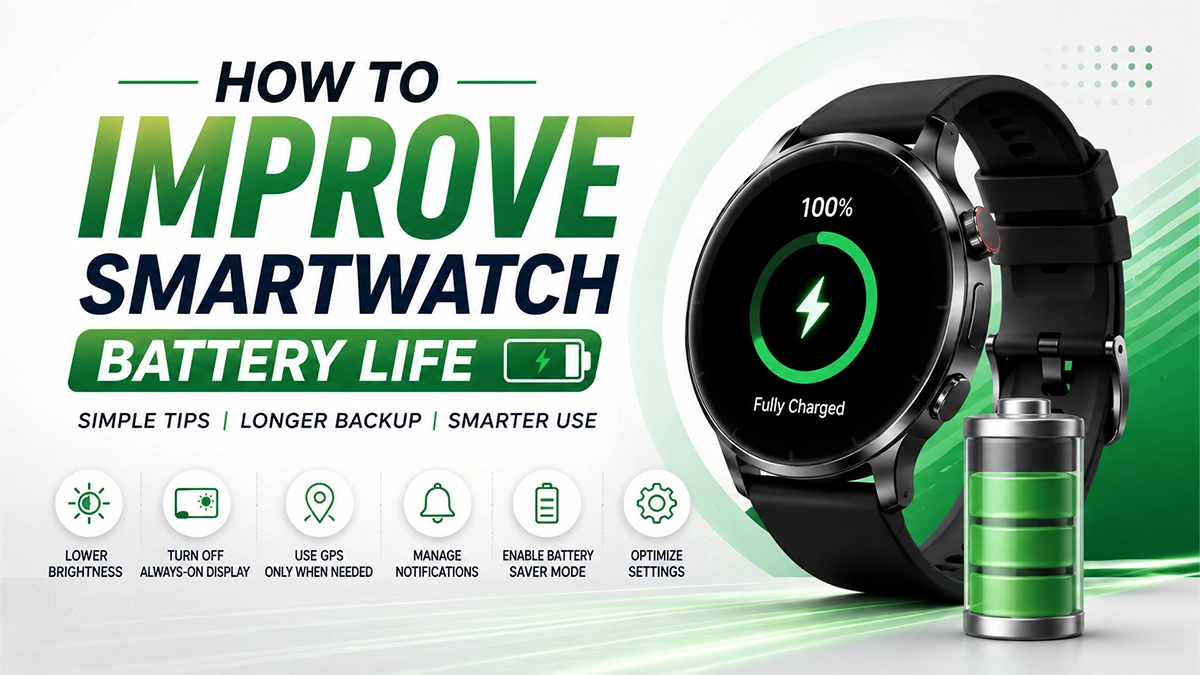
Turn off AOD → Use medium brightness → Reduce screen timeout → Limit notifications → Use GPS only during workouts → Disable unused Wi-Fi/4G → Reduce unnecessary continuous monitoring → Use a simple watch face → Enable Battery Saver when required.
These changes allow you to keep the important smartwatch features while reducing unnecessary power consumption.
Final Thoughts
Learning how to improve smartwatch battery life does not necessarily mean turning off every smart feature. The goal is to identify which features you actually use and disable unnecessary background functions.
Simple adjustments such as reducing brightness, controlling Always-On Display, limiting GPS and unnecessary notifications, managing connectivity, and choosing efficient health-monitoring settings can help improve daily battery backup.
Remember that battery performance differs between smartwatch models. Battery capacity, operating system, network conditions, display technology, software optimization, and individual usage all play an important role.